Episode Transcript
Chris Hinds: Welcome to Accessibility Craft, where we explore the complex challenges and emerging trends that are shaping digital accessibility, while sipping on unique craft beverages. This show is proudly produced by Equalize Digital, The most trusted name in WordPress accessibility. Join us every week as we break down accessibility news and share the expert strategies we've used to help make millions of websites more accessible. Grab a drink, the show starts now! Amber: Hey, everybody. It's Amber, and I'm here today with Steve. Steve Jones: Hello everyone. Amber: And we have a special guest joining us today.
Hey, James. James Kemp: Hey, how are you? Amber: Doing pretty well. We are so excited to have you here today to talk all about WooCommerce extension accessibility. But can you give us a little background on who you are and what your role is at WooCommerce? James Kemp: Yeah. How deep do you wanna go on the background? Steve Jones: Deep. Amber: As deep as you wanna go. James Kemp: As deep as possible. Amber: I mean, you don't have to start with childhood maybe. James Kemp: Yeah. That makes sense. Amber: How did you hear about the internet? James Kemp: That was back in the '80s. No. So I was. Right.
Okay, so currently I am James Kemp. I am from the UK. I am the core Product Manager for WooCommerce. Prior to that I ran off and on essentially, I ran it as a side project initially and then it became a full-time thing, but a plugin company for WooCommerce called Iconic. Our first plugin was 2011, so it was I think a good 13 years before it was eventually acquired. Then I kind of carried on working there for a few years and really transitioned from being an engineer, a designer into more of a product role. And yeah, after the acquisition of that, it became pretty much 100% product. And then I switched gears a bit and I wanted to do something where I could
have a bit more impact on, you know, the people, the number of people using the products that I work on. So I went right to the source and ended up at WooCommerce, and here I am. Amber: Wonderful. So we are so excited to have you here with us for episode number 188 of Accessibility Craft. For folks who want show notes and a full transcript, you can find that if you go to accessibilitycraft.com/188. We're gonna have lots of fun talking about WooCommerce and accessibility with James. But of course, we always start with a beverage, and we are celebrating today. So what do we have? Steve, do you wanna introduce it?
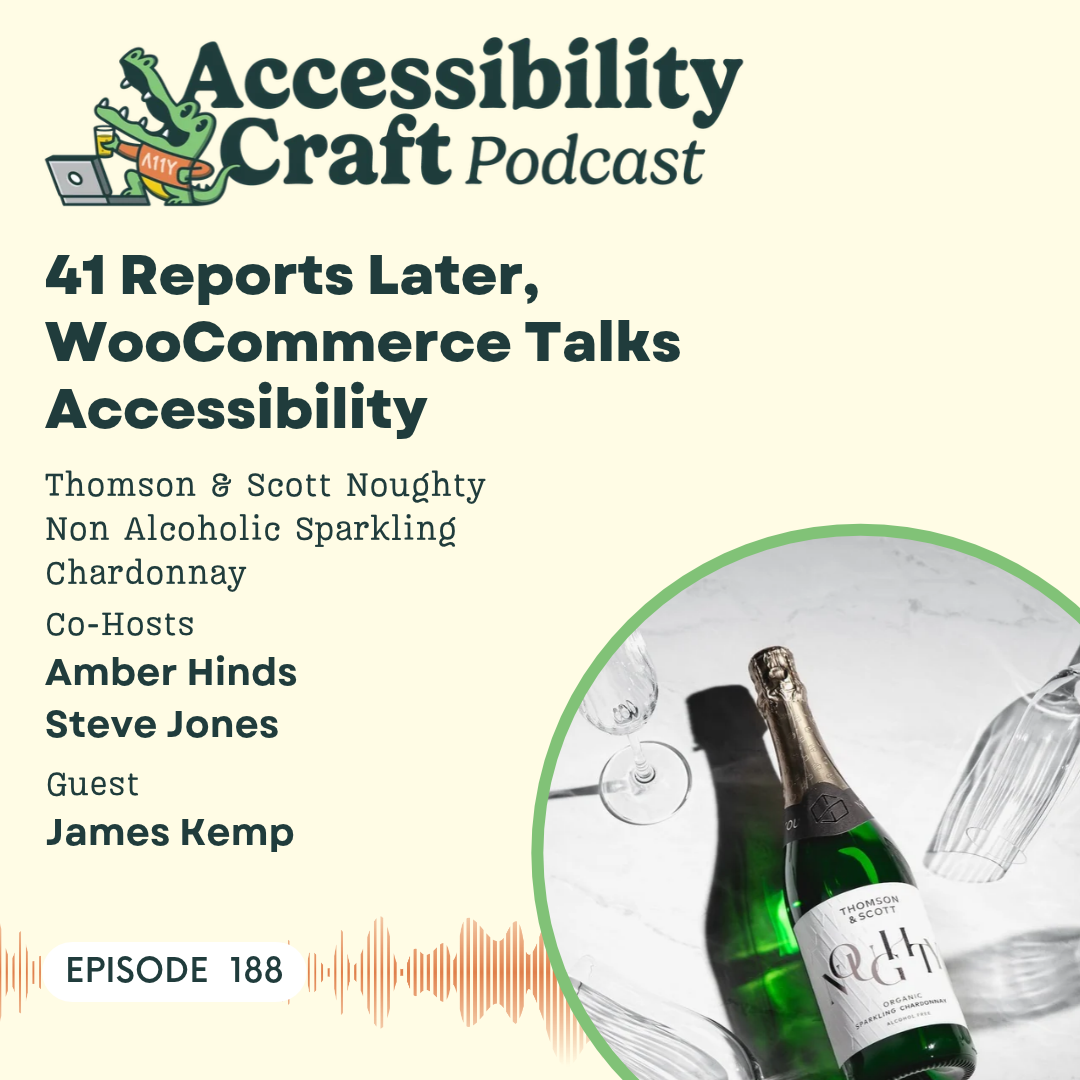
Steve Jones: Yeah. Since our wine expert Chris is not here, I am happy to fill in as the non-wine expert. So we are drinking a non-alcoholic wine by Thompson & Scott called Noughty. It is a dealcoholized sparkling Chardonnay. So the sparkling is what makes it more like we're celebrating, right? So, Noughty is a non-alcoholic sparkling Chardonnay, has been expertly dealcoholized to retain the rich flavor of this beautiful crafted bottle. Traditional wine-making in stainless steel vats, followed by further dealcoholization by vacuum dis- dis- distillation with aroma recovery. That is a lot of words and a lot of syllables.
Amber: I have no idea what this means. Every time I'm like, how did they make a wine non-alcoholic? I don't understand. Steve Jones: There's vacuums involved. The tasting notes are that it is an elegant pale color with a crisp and ripe apple nose, beautifully balanced with a touch of sweetness undercut with just the right amount of acidity. So it should, I'm guessing it should be in the champagne family a little bit, right? James Kemp: It seems like it, yeah. Amber: I've actually heard of sparkling Chardonnay, and I'm gonna tell you guys, and for everyone who is listening, maybe you wanna go watch this on YouTube because
I've never in my life opened a bottle of sparkling wine or prosecco or champagne. Could be really bad. Steve Jones: Here we go. James Kemp: Yeah. … Amber: attempt to do it, and I will narrate. You have already opened yours off camera. Steve Jones: Yes. Amber: Is that a sign that I should have done that too? Steve Jones: I don't know if it's a sign, but I… James Kemp: It's a good idea. … Steve Jones: to be ahead. I didn't want… Amber: You an expert at this, James? James Kemp: No. I wouldn't say an expert. I've opened… I'm more so than you, I guess. Steve Jones: Yeah. Amber: I did get a tip from Chris that I should get like a towel.
Steve Jones: Yeah. Amber: I have a little dish towel. James Kemp: Ooh, okay. He didn't give me that tip. Steve Jones: I did the towel tip this morning as well. Amber: Over the cork? James is just gonna pull the cork with his hand. Steve Jones: Oof. James Kemp: Gonna go for it. I like to do a very slow. Steve Jones: It- Amber: Are you twisting it? You're not trying to pull straight up. You're, like, twisting it. James Kemp: I'm gently twisting it up. … Steve Jones: back and forth… James Kemp: And it's open. I like to do it like this so it doesn't go everywhere, but you don't get the traditional pop.
There we go. Steve Jones: There? Yeah, I d- Amber: Look at that! Steve Jones: That's all about what I got. I didn't get a bunch that shot out. James Kemp: No, that's okay. Maybe it's the alcohol makes it go. Steve Jones: Yeah. Amber: I always wonder, like, 'cause they have these little metal…. Steve Jones: Did you twist… You gotta twist that off, Amber. James Kemp: Oh yeah, take that off. Steve Jones: Twist it. The metal piece has to… Oh, there you go. You got it. You got it. Amber: I was afraid that… So Chris told me I could put a towel on it before I do it. No? I should just do it? James Kemp: You ca- you can.
Amber: I'm afraid. Steve Jones: She's scared. She's scared to do it. Amber: Okay. You're just, like, twist- okay. Steve Jones: Just kind of work it out, yeah. Amber: Okay. Steve Jones: You don't have to go one direct- yeah. Here we go. Here… Oh. James Kemp: Oh, that was a good one. Amber: I got a pop. Steve Jones: She jumped. Amber: I did jump. It startled me. James Kemp: It's dangerous. It's a dangerous game. Amber: it didn't fly anywhere Steve Jones: No. Amber: Didn't lose an eye, so that's good. Right. Now we get the pour. James Kemp: I will tell you that I did not get a champagne glass. Amber: Oh, you can just drink right out of the bottle.
Steve Jones: Drink it straight b- straight from the… James Kemp: Yeah, straight out of the… I got a glass, just not a champagne glass. I'm not an animal. We'll get some sound effects. Amber: it is actually very effervescent. What I would say, though, about this is… James Kemp: Yours looks more bubbly than mine. Amber: I feel like… yeah. Steve Jones: Wonder if it's the glass. James Kemp: Yeah, maybe. Steve Jones: Is yours chilled or room temperature? James Kemp: My, the drink or the glass? Steve Jones: The drink, yeah. James Kemp: The drink is chilled, yeah. Steve Jones: Yeah. Amber: Yeah, yours doesn't have any… I mean, it is interesting because we
bought them from different sources. James Kemp: Hmm. Amber: Right? Because you're in the UK, so we found… I told Chris, he got it from a place called, like, The Whiskey Advocate or something. James Kemp: Yeah. Amber: And I was like, "Huh, that's random." Steve Jones: Well, what… James Kemp: It sounded fizzy when I poured it, so. Steve Jones: Sure did. What I found i- Amber: That you don't have the bubbles that I have. Steve Jones: Yeah. I found interesting was that Amber chose a champagne flute, and I chose a wine glass. James Kemp: And I have a whiskey glass. Steve Jones: And James has a wi- whiskey glass.
There you go. Amber: Mm-hmm. Steve Jones: Mm. So definitely. Amber: Very grape-y. Steve Jones: S- yeah, very fruity and kind of sweet on the nose. Amber: Like grape juice. Steve Jones: Yeah. James Kemp: Yeah, it's quite a strong smell. Steve Jones: Yeah, it is. Amber: Oh, but it's dry. Steve Jones: That, yeah, that's the Chardonnay. Amber: Not too sweet. Steve Jones: Kind of… James Kemp: Oh, yeah. Hmm. Steve Jones: It's very dry. Amber: Do you get… Steve Jones: Even… Amber: Apple? It's kinda like green apple-y. James Kemp: I do get the apple, yeah. I'm not sure I like the smell. Steve Jones: No, it's a little concerning.
Is that the right word? It's a little off-putting. James Kemp: Yeah. It's like, is this good? Amber: But the flavor is pretty good, I think. But I don't think the smell matches the flavor. James Kemp: No. Are you a wine drinker normally? Obviously not champagne. No. Amber: Not a big wine drinker, I'll be honest. Like, I mean, so I would… If I get wine, which is not very often, then I would order either a champagne or a prosecco. So I would normally do, like, a white sparkling wine. I… James Kemp: And how does this compare? Amber: But… James Kemp: Prosecco, yeah, I would usually get a prosecco. Amber: I would say.
James Kemp: If there's a special occasion, I wouldn't do it normally. Steve Jones: Yeah, so… Amber: Yeah, like we have that at Christmas. Steve Jones: Yeah, yeah. Yeah. James Kemp: Yeah. Exactly. Amber: Normally around my house I'm either drinking a beer or we keep a fair bit of whiskey around the house. So, it's like one of those two things. Not wine, we don't usually go for wine. Or every once in a while Chris will be like, "I'm gonna cook a meal that needs wine," James Kemp: Yeah. Amber: Be a little left over and then we'll… James Kemp: Yeah, you'd drink that as well. … Amber: from the bottle.
James Kemp: That makes sense. Steve Jones: Yeah, if I go out for a nice meal, a lot of times I do get, like, a Chardonnay wine. I do like the ones that are a little more, less fruity and no bubbles. But, this… Amber: How does this compare? Steve Jones: This does not taste anything like what I would normally get. James Kemp: Does it taste like a Chardonnay or not? Steve Jones: N- no, not at all. Not really. It tastes like Champagne. James Kemp: It's, to me, it tastes somehow stronger than Champagne. Steve Jones: Yeah, it's, I think they're trying to bring that, like, acidity into… James Kemp: It back, yeah.
Steve Jones: But… Amber: I feel like it's kind of bitter on the finish. Steve Jones: Yeah. It's kind… Amber: That's what I… Steve Jones: …feels like the nose a little bit to me, like the same kind of flavor. Like what I smell and then when I taste in the finish seem similar. James Kemp: Hmm. Steve Jones: But it's missing the, it's missing, it's definitely missing the warmness from the alcohol. James Kemp: Yeah. Amber: Yeah, I think, okay, so this is where we say like thumbs up, thumbs down, thumbs in the middle, would you get again? And I think where I'm landing on this is I'm not a huge like wine drinker for the flavor and I don't drink it that much anyway.
So not to sound like an alcoholic, but if I'm going to have a sparkling wine, I feel like I want the alcohol, otherwise I don't… I'm like, eh, I don't know if I would ever it again. James Kemp: Yeah. Amber: It's not horrible. So I'm kind of in the middle, but I'm, I'd be like, eh. James Kemp: But I think of it being non-alcoholic, I would rather have like, they have a drink called Schloer here in the UK. I don't know if they have it there. Amber: that? James Kemp: It's basically what kids drink, I guess, instead of like, while everyone's celebrating with their fancy champagne, they would have like this soft… it's just a fizzy soft drink, basically.
But it like a f- it's fancified. Amber: Okay, so that kind of makes me think, we have like sparkling apple cider. James Kemp: Yeah, it'd be similar. Steve Jones: Welch's. Amber: Yeah. Well, they do the grape, but I never was into like the sparkling grape. And when we were kids, we'd always do the apple cider. I would always pick that over this, I think. Steve Jones: Hmm. Yeah. Amber: Know if that's just the nostalgia for when… James Kemp: Same. Amber: Yeah. Steve Jones: Yeah. Amber: I don't know. Steve Jones: Well, if I was going, if I was going for a Chardonnay, this would definitely not be my choice.
Amber: Yeah. But know. I did… Part of me did wonder, so we are recording this at 8:00 AM on a Monday. Steve Jones: Yeah. Amber: Steve and I have to go to our all hands meeting after this. That would be a real interesting meeting. But I will say part of me wondered, like, if I got some orange juice and I turned it into a mimosa, maybe I'd like it a little better. All right. Well, we are not just here to talk about beverages. We are here, and we mentioned before we were celebrating. I published, I will post a link in the show notes if anyone wants to look at it, a big case study on our website last week because we wrapped up a
huge project with WooCommerce that included accessibility auditing of 43 plugins and 41 of which got remediated. We found out two of them Woo doesn't actually maintain, so you guys couldn't fix them. 41 got remediated, and we published accessibility conformance reports on all of them. It was a huge undertaking. I'm sort of curious, James, if you could give us a little bit of backstory information on what prompted WooCommerce to invest so heavily in accessibility, and what did you have to do to get buy-in, or was everybody just, like, on board? Because this was a big undertaking on both the auditing and the dev front.
James Kemp: Yeah, it really was a big undertaking. It's been a year and a half or something maybe since we started. Amber: Bit less. Yeah. James Kemp: And we wrapped up, I guess, at the end of August. Amber: I think, yeah. James Kemp: Yeah. Yeah. So it was a long old project. So one of the things that prompted it, so obviously like with our work that we do now, or like new work that we put into the product, there's guidelines and checks and things that happen at the point of creating the code. However, WooCommerce is quite an old plugin, so there's a lot of code that just hasn't had that same level of checks that happen and also, you know,
accessibility standards change over time. So things that might have been okay back then aren't necessarily okay now. So I think it was… Was it June or July 2024 when a new law came in the EU? It might have been 2025. You'll have to remind me. Amber: Yeah. The European Accessibility Act 2025. But I think we knew it was coming. James Kemp: Knew it was coming in 2024. Amber: Yeah. James Kemp: Right. So that was, like, a big reason for us to say, "Okay, our product needs to be accessible out of the box." Like, as much as we can make it accessible just in a fresh blank install, we need to do that. Because there were some quite serious repercussions to not being
accessible, based on that law. And those would be repercussions for the people using WooCommerce and not necessarily, you know, us as a company. So we really wanted to set people up as much as possible to be accessible out of the box and to not have to worry about this new law coming in, and, you know, for those merchants to have to go and make individually their changes to make it accessible. One of the hardest things that we had to think about was people could be running their own theme, custom themes or, like, any theme that they've purchased or downloaded, and that can completely change the work that
we've done to make it accessible and subsequently make it not accessible. But like I say, what we wanted to focus on was that the base of WooCommerce and the front-end output was accessible out of the box, and then anything that happens after that is, you know, down to the theme company or the person actually building the website. So yeah, that was one of the main drivers. Another thing around that time, there was a WordCamp, I think it was WordCamp Europe. Steve Jones: Mm-hmm. James Kemp: I forget where, maybe Athens. Steve Jones: Ital- Italy was James Kemp: Yeah, Torino perhaps. Yeah. Amber: Mm-hmm.
James Kemp: And I spoke to quite a few accessibility experts at that time. So I spoke to yourself, I spoke to a couple of other people in, you know, running similar sort of accessibility businesses within WordPress. And on top of that, there's just a real desire for i- the internet to be accessible. And that is something that we could massively help to drive. So those two things kind of accumulated into me putting a plan together to say, you know, we should focus on making the output of the WooCommerce front-end code accessible, to as high a standard as we can reasonably, you know, put out there.
And actually buy-in was pretty easy. I just published a post saying, you know, "This is why we should do it." And then I think we spoke to a few people who would be able to help and eventually landed on, you know, you guys doing the audit and then sort of the follow-ups that come with the audit as well. So yeah. Amber: Yeah. Well, that's good to hear that people were super positive about it and there wasn't a bunch of pushback. James Kemp: No. Amber: So… James Kemp: I didn't need to do much convincing at all. I think the scope of the… I guess the scope of what could happen if we don't do this… Steve Jones: Mm-hmm.
… James Kemp: is good enough reason in itself. Amber: Mm-hmm. Steve Jones: Cool. So, you move from getting buy-in and setting the stage for why this is important and what the implications are if w- if you don't go down this route. So once you get into the project, how do you start, like, 41 extensions, you got WooCommerce Core, how do you take all that and then start deciding prioritization? What gets worked on first, and what should get priority over the other thing? James Kemp: Yeah. The initial scope of the project was WooCommerce Core. And Amber, you'll have to remind me. That may have included WooPayments as well.
Or did that come after? Amber: WooPayments was not in the initial scope. That was in the second. James Kemp: Yeah. Okay. Amber: Yeah. James Kemp: So yeah, as far as I'm aware, it's just purely WooCommerce Core then, and specifically the front-end output of WooCommerce Core. And I think we lined that work up as the initial work that we wanted to do. We really wanted to make the kind of base products the-- whi-which we felt was gonna be the biggest amount of work, and I believe it probably was, individually. So we focused on that, and then we-- I think from the beginning, we had this idea that, okay, once we've done that, we then would like to focus on any
extension that we own, that WooCommerce own, and make them, you know, bring them up to the same level, which in theory, you know, each, e-each extension should be a lot less work because we touch, you know, less parts of the front end. And I guess that was 42 extensions if the 43 includes WooCommerce itself. Amber: Yeah, I don't think that number on there includes WooCommerce. I didn't include that one 'cause we had written a different case study for the WooCommerce work. Yeah. But it was a combination of payments add-ons, like payment gateways, shipping, and then a lot of add-ons that kind of modified the product
experience, and subscriptions. James Kemp: Yeah, that's quite. Amber: Out what you wanted us to do first? 'Cause I know you gave me a whole spreadsheet, and you had gone through and said, like, critical, high, medium, low. Was it based on user count or what, how you thought they impacted the front end? James Kemp: Yeah, it was a bit of everything. User count for sure, active user count. So not just, you know, how many people have ever used this, how many people are currently using this. And then it was kind of focused around the impact to the merchant. But also, like, not all of these extensions have massive front-end output.
So, I-- we tried to focus on the ones that would have the most prominent front-end output, in terms of, like, user-facing impact, which plugins would actually affect the people trying to use it who perhaps need, you know, these accessibility standards meeting. And yeah, there was quite a variety of extensions there. So you mentioned, like, we had payments, shipping, and I think those extensions are probably the ones that have the least front-end output, and typically their output comes from the third party as well. Amber: There was some interesting things with some of the payment ones where some of the issues just had to get surfaced back up to whatever gateway
because some components are in iframes and you can't do anything about that. James Kemp: Yeah. And that's pretty common with payments. Probably not with shipping, but with payment extensions for sure. Amber: Like most of the shipping stuff just came from WooCommerce Core. So… James Kemp: Yeah. Amber: Of those, it turned out we tested them and they didn't actually need much remediation or some- in some cases they needed zero 'cause the shipping controls had already been fixed in Core. James Kemp: Yeah, for sure. I mean, typically shipping is the check boxes at the checkout and then maybe some output on like the order confirmation.
I think some shipping extensions put output on the product page as well. I'm not sure if any of ours do. But yeah, they're very minimal. So yeah, I think it was really around, you know, that the act- I think the usage is one of the biggest things that, like who's ac- who's actually using this that we need to put, you know, the most effort into that first. And then, you know, how much output and how much impact does that have on the people using it? Yeah, they were the very important measures. Amber: So I know one of the interesting things, and I don't know if everybody who's listening knows this, but one of the interesting things about your plugins
is, well, one, Automattic is a very large company, so you have multiple teams at Automattic who own different plugins. It's not like the same developers work on all of these. And you also have a partnership with Fueled, a separate company, to do some of the development. I wanna talk a little bit about what that looks like from a coordinating standpoint and how y- you handle, like, how do we coordinate all this remediation with all these different teams? But let's take a quick commercial break, and then when we come back, we'll talk about that. Steve Jones: This episode of Accessibility Craft is sponsored by Equalize Digital
Accessibility Checker, the WordPress plugin that helps you find accessibility problems before you hit publish. Thousands of businesses, nonprofits, universities, and government agencies around the world trust Accessibility Checker to help their teams find, fix, and prevent accessibility problems on an ongoing basis. New to accessibility? Equalize Digital Accessibility Checker is here to teach you every step of the way, whether you're a content creator or a developer, our detailed documentation guides you through fixing accessibility issues. Never lose track of accessibility again with real time scans each time you save,
powerful reports inside the WordPress dashboard, and a front end view to help you track down hard to find issues. Scan unlimited posts and pages with Accessibility Checker Free. Upgrade to Accessibility Checker Pro to scan your website in bulk, whether it has 10 pages or 10,000. Download Accessibility Checker today at EqualizeDigital.com/Accessibility-Checker.
Use coupon code AccessibilityCraft to save 10% on any plan.
Amber: Okay, we're back. So James, you have all these plugins, let's say 41 plugins that are going to be remediated and lots of different teams. How did you manage that coordination? James Kemp: Yeah. I mean, it was a challenge, and I think we had to adapt a little bit to how you guys normally work as well, or you had to adapt to how we wanted to work. Because I think we tried-- … Amber: which we were happy to do, I'll… James Kemp: Yeah, of course, yeah. Amber: But yeah. James Kemp: We tried a few things, right? I think your typical way was the spreadsheets that you provided, which kind of list essentially every issue that we needed to dig into and fix
and gave a ton of information and potentially screenshots or links to screenshots and things like that. As a company, we use Linear alongside GitHub. But a lot of our, a lot of the extensions that we sell have private GitHubs, so Linear was really, like, the place that we needed to do things. And alongside that, we also used Slack. So, the first kind of steps were to get everyone into the same channel in Slack, which I think helped, you know, the coordination between you guys, WooCommerce, and Fueled. You know, we were all in there, and able to communicate quite quickly. And then any of the relevant internal teams at WooCommerce, at
Automattic, were also in that channel. So we all had this central place to talk about the project and get questions answered quite quickly. And then really it became a case of, like, transposing these spreadsheets into Linear issues. And this I-- again, I-- the timelines are blurry now, but it was quite early into the AI… Steve Jones: Yeah. James Kemp: Craze, when we started. So one of the things that I did was I built essentially a, an importer using AI, that took the spreadsheet and then converted that into Linear issues, and just made sure that, you know, every issue that's created had the same sort
of format, that we were able to label and flag the accessibility standards and the things, you'll have to provide the name for me, but the things that… Amber: The success criteria? James Kemp: The issues… Yeah, the criterion, yeah. The things that those issues were affecting or breaking. And then the teams were obviously able to go into Linear, find the issues relating to their specific plugins, and use Linear as a way to track the status of each issue as they kind of progressed through it. And we added some custom states there as well, because obviously, like, the teams at WooCommerce and the teams at Fueled and Tenon, they were at the
time, they work in different ways. Like, the states that they use for an issue are different to each other, so we had to kind of centralize that a bit as well, and really get everyone on the same page with those issues. But I think moving everything to Linear, definitely helped the project move along a lot more smoothly. The spreadsheets were, I think, a little bit challenging for people to, you know, come out of this, like, Linear mindset into a spreadsheet. So yeah, I think it ended up pretty well. Amber: Mm-hmm. I think that was a big thing that, you know, we modified to try and work with you all in your workflow.
James Kemp: Yeah. Amber: You know, we had a lot of conversation in this realizing, one, this is not just one developer who's fixing all of the issues or two, it could be 15. Steve Jones: Mm-hmm. Amber: More, right? Different developers that have to touch this and, you know, we always wanna make sure that we make it as easy as possible for you all. And so for us, like, if we can integrate into your normal workflow, then that's going to reduce friction, which then ultimately means issues are gonna get fixed faster, so. Steve Jones: Yeah. Yeah, I re- I remember when that happened, 'cause on the product
side, Equalize Digital's product side, we utilize a similar workflow with Linear and GitHub and Slack. And that's the unique thing that we do with these audits and remediations a lot of the time is Amber's able to actually, you know, adapt her team to whatever workflows that you have. But it was interesting on our end, 'cause it was Amber's like, "Hey, I got questions about Linear." You know, it's like, it's like, well, we got that knowledge. We can help you out. So… James Kemp: Have you found that your sort of process for doing that now has changed slightly or is it-- does it depend who you're working with?
Amber: Yeah, I think on the audit side, it does still really depend who we're working with. So our… We don't create the issues in the spreadsheets. Like, that's the other thing that's kind of interesting. We have a whole, like, site that we've built that has our issues library and that we use. And I know for a while we had tried to figure out, could we just have our audit site link over to your Linear and create issues on form submit basically every time an issue is saved? But then we determined that I didn't have the right permissions in Automattic's Linear for me to be able to create those issues, so we're like, "Okay,
we're still gonna put them in a sheet, and then you'll import them," 'cause you'd already built the importer. But no. I mean, for us, I think we very much like to work with wherever our customers work, and it is… Like, we've had people where they don't use Linear, but they use GitHub, so we're directly in GitHub. That's how we're doing work for Gravity Forms, for example. Or we have, you know, other people where, you know, they have any sort of any of those integrations built out. Like surprisingly, you might… But even very large organizations don't have super solid dev workflows, or they don't have an in-house developer, so they've never built that, and they're
just working with whatever their vendor is, and then their vendor comes to us, and they're like, they wanna work on, like, a Basecamp project with us, or they are fine with the spreadsheet. So you know, it is… It's one of those things I think we've learned over time, is that we just need to adapt and try and create, like, the least amount of friction for the customer so that it's w- well… And we've found, too, that with the way we create them, we can get them into a CSV, and then generally that allows you to import anywhere. James Kemp: Yeah. Amber: If somebody uses a different project management tool,
then they could import that in. I know we do work for LiquidWeb, and they use Jira and a lot of that, and all the NASA stuff was in Jira. And so it's kind of like we try to work wherever works for you all. James Kemp: That makes sense. Amber: Yeah. Are there any issues that came up that was surprising to you all? Or I know, I don't know if you had time to think about this in advance, or anything that required a lot of discussion internally. James Kemp: Honestly, I don't know that there was. I guess you touched on it earlier, like one of the main issues that we had is when an issue wasn't actually something that we could fix, but we
had to kind of take it upstream, and take it to the actual, you know, third parties, typically the payment providers. Although I think Pinterest was one that had similar issues, right? And we were able to take it to them, and they would fix that on their side. So actually, like, it's quite interesting that doing that on our side has actually helped, you know, people that aren't using WooCommerce that are just using, you know, these solutions elsewhere to also become more accessible. So that's pretty cool. But yeah. Amber: Mm-hmm. James Kemp: There was a lot of issues. So I c- I can't… Amber: 500.
James Kemp: It's hard to pick one, yeah. Steve Jones: So the bulk of the issues as a whole was actually what was kinda surprising, right? James Kemp: Yeah, I mean, do you recall how many there were for WooCommerce itself? Amber: I don't remember the exact number, but it was over 100. It might have been 160 to 80 or something maybe. So it was closer to 200. I mean, I'll say having looked at all of these, one of the things was it was definitely really clear which of the extensions were older than others, because there were some where it was like, oh, there's one thing. So one- an extension only had one issue.
So that, like, 520 or so issues that we reported wasn't evenly divided across 41 plugins. It… James Kemp: Yeah. Amber: Yeah, I do know there was some stuff related to product vendors that… But that was an interesting one because we did end up going into the admin a little bit because a product vendor customer goes. James Kemp: Is the user. Yeah. Amber: Yeah, it is, it-- That one was a really weird one where we had to have a conversation about how much into the admin are we going because these, those are like the users of the merchant's store, and they're going into the admin to create products and view reports.
And so there was some stuff that got fixed, and I do think something that was a little surprising to me about that, and I know that one was an older plugin, was there were a few things where I would look at it and say, "Oh, I think this is actually a problem for WooCommerce core admin," and then I would go flag it, and then someone would be like, "This got fixed in WooCommerce core like a year ago," or whatever, right? Like, it's already been resolved. And, I was like, "But wait, I still see it." And then we're realizing that I think there were some legacy things in product vendors that weren't pulling off of core
of the way that older plugin was created. So even though the component looked identical, the code still lived in product vendors. So we'd have to go back and be like, "Okay, wait, we closed this GitHub issue for WooCommerce core. Go back into product vendors and reopen it." And that one, I think, surprised me. But I… And I don't know if you have any thoughts, James, about like how that whole development process has changed over time. James Kemp: Yeah, I mean, that is an interesting product because it's also the product we use on the WooCommerce marketplace. And if I'm not mistaken, I think they have, like, a custom iteration of product
vendors for the WooCommerce marketplace. So there's, like, an added level of complexity there. Like, if we wanna take the base product vendors and put it into the marketplace, I think that becomes quite challenging. But yeah, I don't… I'm not on that team, so I'm not too clued up with the details. But yeah, like you say, it was quite, it was quite interesting that we had to start transitioning what we were looking at and, like, shaping our definition of what front-end output is. Because to a vendor, like, that is what they see. They're on the back end, but, you know, they're, they are the user.
And I think if we look at, like, the EU accessibility law that came in, there's definitions around, like, how that then becomes something that, you know, is part of those rules, part of that law. So yeah, that was definitely interesting. In terms of how engineering has changed since, you know, the older plugins to the newer plugins and even some of the older plugins, you know, that just get heavily updated, like subscriptions and things like that. I don't know too many details 'cause obviously I wasn't here. But, as I touched on at the beginning, I think there's a lot of rules that have changed, I guess, over time in terms of accessibility.
And a lot of them can now be caught in automations via, you know, GitHub. We have all these automations that fire on every pull request. And these accessibility aspects are part of that as well. So I would say, like, I would expect that a lot more of that stuff gets caught before it's even merged into the product, which is, you know, what you want really. I think- Even still, like after this project, which we've only just wrapped up, I think there'll probably be some more things that we need to add to that and, you know, catch some of the stuff that might not be as easy to catch. Steve Jones: Yeah, totally.
I mean, I think, you know, shifting those things left into the beginning of the project definitely helps see accessibil- accessibility through completion, and it's nice when the process like this kind of opens the dev team's eyes to these issues, that they're real, and they're slightly painful to remediate after the fact. James Kemp: Yeah. Steve Jones: So catching those upfront I think is definitely key, and I think it's a great takeaway for your dev team from this process. So I think we should shift a little bit into the conformance reports here that you two put together. There were 41 accessibility conformance reports as part of this project.
This is not something we see in the WordPress plugin space a lot, and maybe I know Amber played a big part in this as well, so maybe you both could speak to a little bit of why… mean, maybe James you could speak to why, you know, being transparent with the level of accessibility in these plugins and in WooCommerce Core was important. And Amber, maybe you could speak a little bit on kind of the depth the time and effort that went into drafting all of those conformance reports. James Kemp: Yeah, for sure. I mean, I won't take any credit for drafting those reports. I don't think I did anything. But yeah, I know they were a ton of work.
On my side, I think there's a few reasons why we wanted them. And you'll see if you go to the WooCommerce marketplace that we actually, like, link to them from the product pages. I think one of the reasons, again, comes back to the laws that are in place for acce-accessibility as a merchant is choosing an extension for their website. Typically, like, the bigger merchants know that they have to abide by these laws, otherwise there's repercussions that could happen. So for them, it makes them more confident in choosing a product to put onto their stores that they can see, like, okay, this specific exte-extension is up to the
standard that we need to meet versus this other one that maybe hasn't, you know, hasn't got any indication of a report. So that's one of the reasons. I think another is it's quite a good indicator of quality. You know, for an extension to actually measure, in as much detail as these reports measure accessibility, is just a sign that who- whoever's building this, you know, cares about the users, the final output and results of what this extension looks like and how it works. So yeah, I think those are, you know, a couple of the driving factors, and obviously I don't know that the reports necessarily do it.
I'm not sure what, you know, how many impacted people that, you know, require this level of accessibility actually look at the reports. Maybe you've got some data on that, but I think it will help them as well, you know, to… I know there's quite a few in the WordPress community who are impacted by this, these things, and I expect that they will look specifically for extensions that, you know, meet the criteria that they require. So, yeah, I think it's kind of beneficial all round, but it definitely to me adds a level of, like a stamp of quality. Amber: Yeah, I agree. I think really what I love about seeing plugins publish these is that it makes it
easier for the people building websites to be able to choose plugins and tools and know… And, it doesn't necessarily mean that if something has an issue, you aren't going to use the plugin because sometimes we said, "This issue exists if you have this configuration," right? Stripe was one where they had issues with link, which interestingly after this it made me go, like, test the link on our checkout page which uses Easy Digital Downloads to sell our software, right? And so it's like everywhere that link embeds. It's an iframe. So we reported it up to them. Stripe got back to me and they said, "Oh, we're actually completely
rebuilding this entire component. We are aware of accessibility problems," but those haven't been fixed yet. Well, we didn't wanna wait on the accessibility conformance report, so we published that for WooCommerce and it just says, "If you enable link, these issues will exist. If you don't James Kemp: Yeah. Amber: And you just use it for credit card processing and stuff, then issues will not apply to you," right? So I think one of the things that's cool about an accessibility conformance report is it's not just like should I use this or not, it's, I could use this with certain settings or configurations and then you're aware of what the options are.
And something we've been doing for our plugins and I'm hoping to see more plugins do. I love that you all added that link in the directory because I think now any plugins… I was just thinking I need to go see if that'll make sure that link is available for our plugin which is on WooCommerce marketplace because I think any plugins can now put their accessibility conformance report on there and make it visible in the WooCommerce marketplace. So even third-party WooCommerce plugins could be adding these as well. James Kemp: Yep. Yeah, exactly right. Amber: You had asked about time. I don't know. It was a big of the project.
I'll say I actually ended up… James asked me at one point, 'cause I think I sent you… We create these in Google Docs, and I sent you that, and you were like, you guys post these on our website?" And that motivated me. I ended up building a tool for these because if anyone hasn't seen them, they have tables in them, and you need to have row headers, which the WordPress table block does not yet support, which is a giant bummer. So I was like, "Okay, so we're gonna have to use an HTML block in order to make these tables accessible 'cause we want the reports to be accessible." But when you pull out of Google Docs table HTML is horrible, not good.
So it i- it actually motivated me to build a separate tool so that I could export the Google Doc as HTML, then I copy the table HTML out of, like, the dev tools inspector, and I paste it into this code or this input field on our audit site. And then it converts it into a for accessibility, remove all the weird Google, like, class names and all that stuff, and give me code that I can paste into the block editor and it'll just make it an HTML block with all the right accessibility. So you asking me to do that, and I was like, "There's no way we're hand coding all these tables," James, motivated me to create a cool tool
for us that I use now, that I can use to convert Google Doc tables. So it's kind of fun. James Kemp: Nice. Yeah. There's so many tables in those reports. So many tables. Amber: Yeah. If you had to, like, hand create them all, it would not be good. So. Well, we're about wrapping up, but I am sort of curious how much you can say, James, about what might be next for accessibility at WooCommerce, and if there's anything we can tease on that front. James Kemp: Yeah. I mean. Amber: I'm gonna put you on the spot. James Kemp: Like we s- Yeah. Like we say, I think there's a ton that we can take from all of the
projects that we've done so far, and just really improve the automations that happen at the point of PRs and try and catch this stuff up front. One of the things that we really want to look at, I d- I don't know that we're ready to look at it yet because of how, you know, WordPress is changing on the back end. But is the back end, you know, output of WooCommerce as well, and just make sure that is, as accessible as possible. I th- I think if we looked at the product editor, for example, there's so much stuff going on there, and it's all very, very custom, in terms of like, you know, the variation editor and things like that.
I expect there's plenty of accessibility issues that exist in the back end of WooCommerce and WordPress in general. So I'd really like to look at that at some point. But yeah, I think with the shift to the site editor, block editing, things like that, I d- I don't know what that looks like yet, but that is what I would like to tackle at some point. Steve Jones: Yeah. Well, James, we appreciate having you here, and we appreciate your dedication and your advocacy towards accessibility in WooCommerce and Automattic and just how this is leveling that product up and the care that you've taken to ensure that your customers are creating accessible websites is much appreciated.
Now where can, where can people reach out to you if they have additional questions or want to follow up? What are your socials? James Kemp: Yeah, I would say X, James C. Kemp, and I'm pretty much James C. Kemp everywhere. Steve Jones: Cool. Amber: Wonderful. Thank you, as Steve said, for being here, and everybody, we'll be back in two weeks with another episode. Don't forget to hit the like button and the subscribe. I forgot to say that earlier. Please do that. And thanks, James, for joining us and helping make the web more accessible. James Kemp: Thanks for having me and for all the work you guys put in.
Steve Jones: All righty. Amber: Bye. James Kemp: Cheers. Thanks for listening to Accessibility Craft. If you found this episode valuable, please help us reach more people by subscribing, reviewing, or liking the show, and sharing this with your colleagues. Accessibility Craft is a production of Equalize Digital Inc. Steve Jones composed our theme music. To learn how Equalize Digital can support you on your accessibility journey, visit us at EqualizeDigital.com.